


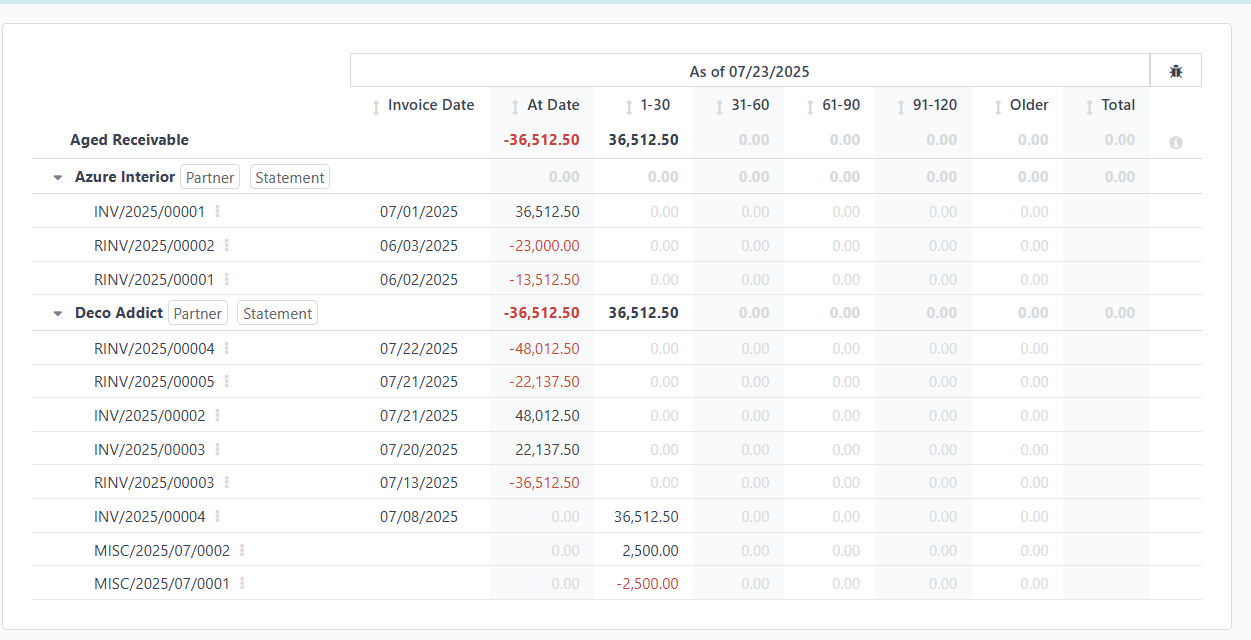
The report you are likely referring to is the Aged Receivable Report. This report provides a clear view of outstanding customer invoices grouped by aging periods (e.g., 0–30 days, 31–60 days, etc.).
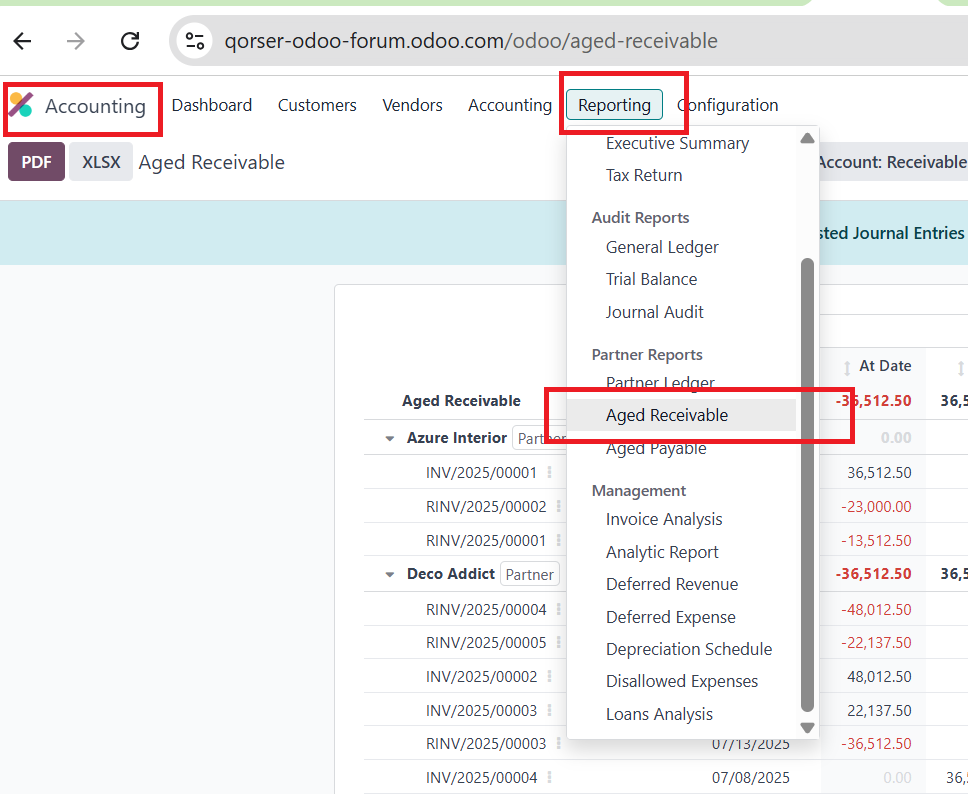
You can access it through:
Accounting > Reporting > Partner Reports > Aged Receivable
This report follows a standard layout widely used in accounting to track overdue receivables and helps identify which customers owe money and how long those amounts have been outstanding.
Thank you all for the feedback.