

Help

欢迎!

该社区面向专业人士和我们产品和服务的爱好者。
分享和讨论最好的内容和新的营销理念,建立您的专业形象,一起成为更好的营销人员。


0

Expense menu not appearing in Odoo

Avatar
odoo
1 Comment
Avatar
Discard
Avatar
odoo
-

Hello,
You can find it below the Accounting -> Vendors -> Employee Expenses.
Hope it helps.

4 Answers
0
Avatar
odoo
Best Answer

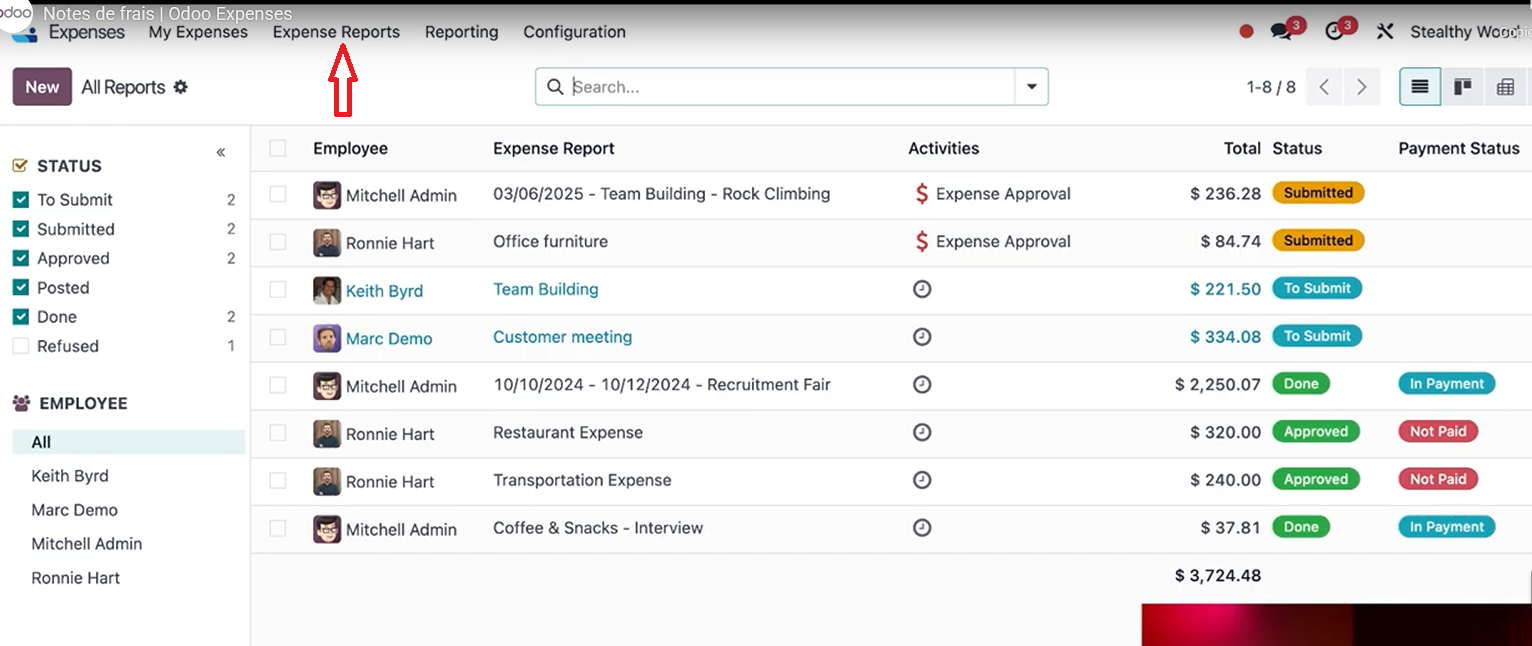
Expense Reports were removed in Odoo 18.2.

See https://www.odoo.com/odoo-18-2-release-notes

Expense reports have been removed to better align with common usage, where most reports contained only a single expense. Users can still submit, approve, and post multiple expenses at once from the list view by selecting several expenses at once. For employee-paid expenses, submitting multiple expenses at once will generate a single bill per employee.
1 Comment
Avatar
Discard
Avatar
odoo
-

Thank you for your help!

0
Avatar
odoo
Best Answer

Hi,


If the Expenses menu is missing in Odoo 18, even with administrator access, check the module's configuration settings for visibility options. Ensure all module dependencies are installed and verify your user account has the necessary "Expenses / Manager" or "Expenses / User" access rights.


Also, confirm the menu item isn't hidden or located in a different menu by activating developer mode and checking the menu item settings. Clear the Odoo cache, disable custom modules to check for conflicts, and, as a last resort, reinstall the Expenses module.


Hope it helps

Avatar
Discard
0
Avatar
odoo
Best Answer

That’s not exactly what I’m looking for.

I’m trying to find the “Expense Reports” menu, which allows grouping several expenses into a single expense report.

Right now, I can see individual expenses, but I don’t have the menu to create or manage expense reports.

Does anyone know how to enable or access it?

Thanks!

Avatar
Discard
0
Avatar
odoo
Best Answer

You can find it below the Accounting -> Vendors -> Employee Expenses.

Hope it helps!

Avatar
Discard