


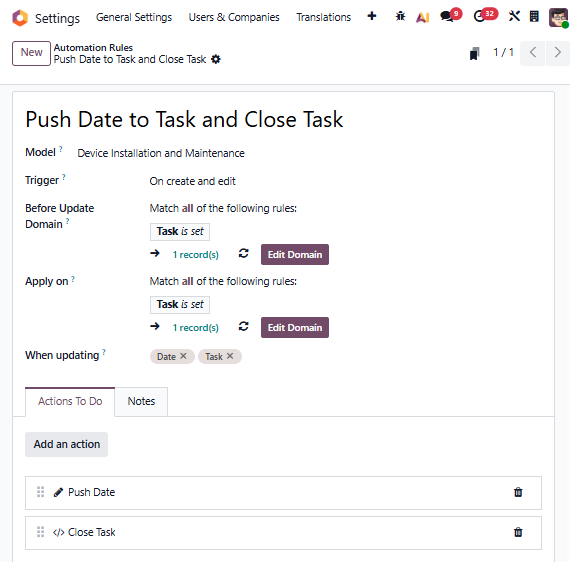
For each Worksheet Template, you will need to create an Automation Rule with two Actions:
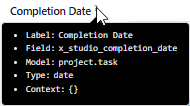
A) in Developer Mode, hover over the Custom Date on the Task so you know the Technical Name for it:
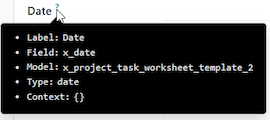
B) hover over the Date field on the Worksheet so you know both the technical name of the Model and the technical name of the Field:
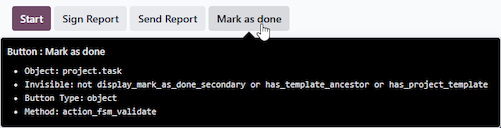
C) hover over the Mark as done button so you know the technical name of the Python method this button calls:
You will use all of this information to create the two Actions.
First, to Push the Date:
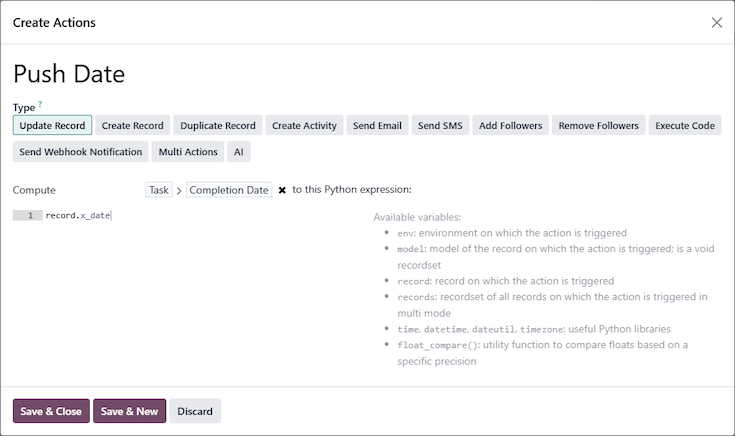
Use Compute and specify the Task linked to the Worksheet, then your custom Date field (A). The value you want to give to this field is the value of the Date field on the Worksheet (B).
Next, to close the Task:
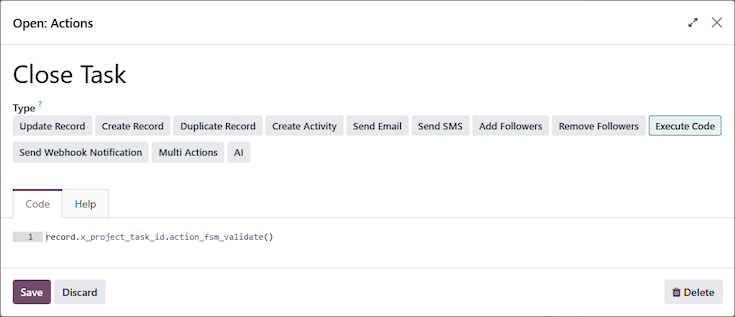
You want to navigate to the Project Task related to the worksheet, and call the method (C).
The Close Task Action is a line of code, which will increase your Odoo subscription cost (if working with Odoo as your Implementation Partner).
If you don't have the skills to understand or implement this customization, please contact your Odoo Digital Advisor or Odoo Partner.