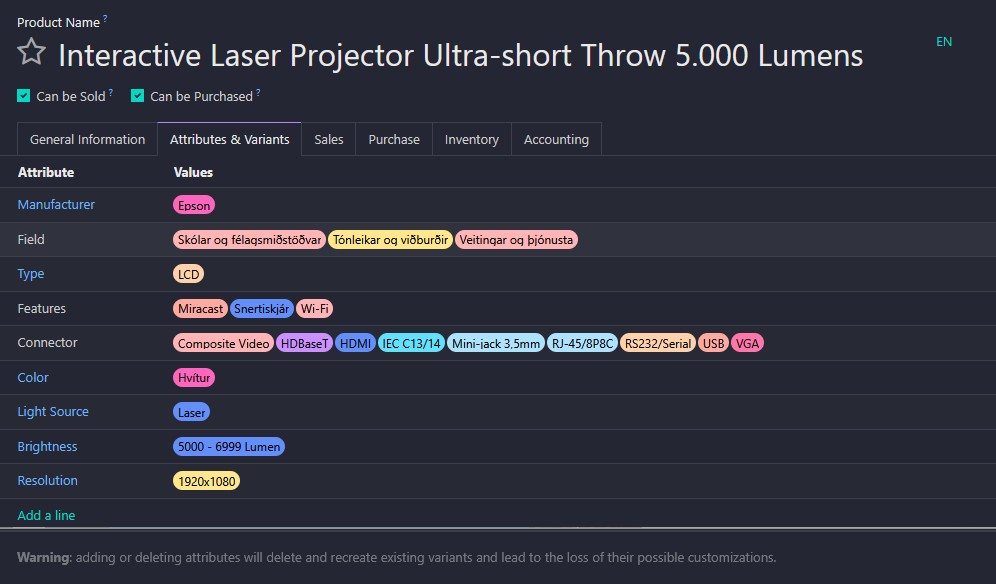
Hi Anton,
When you are defining Attribute, you also need to define the value at least one.
So, if you try to upload to delete, that's not possible because you cannot leave the "Product Attributes / Attribute" empty as it's mandatory by system.
I think you are able to delete it manually because you are using the 🗑️ icon which delete the whole line instead of update the lines to empty.
If you consider to delete all, you can try to create a function through "Scheduled Actions" menu (developer mode only). You can follow below screenshot and code snippet
🚨USE IT ON DEVELOPER ENVIRONMENT FIRST, DON'T DO IT IN PRODUCTION. THIS IS A VERY RISKY ACTION🚨
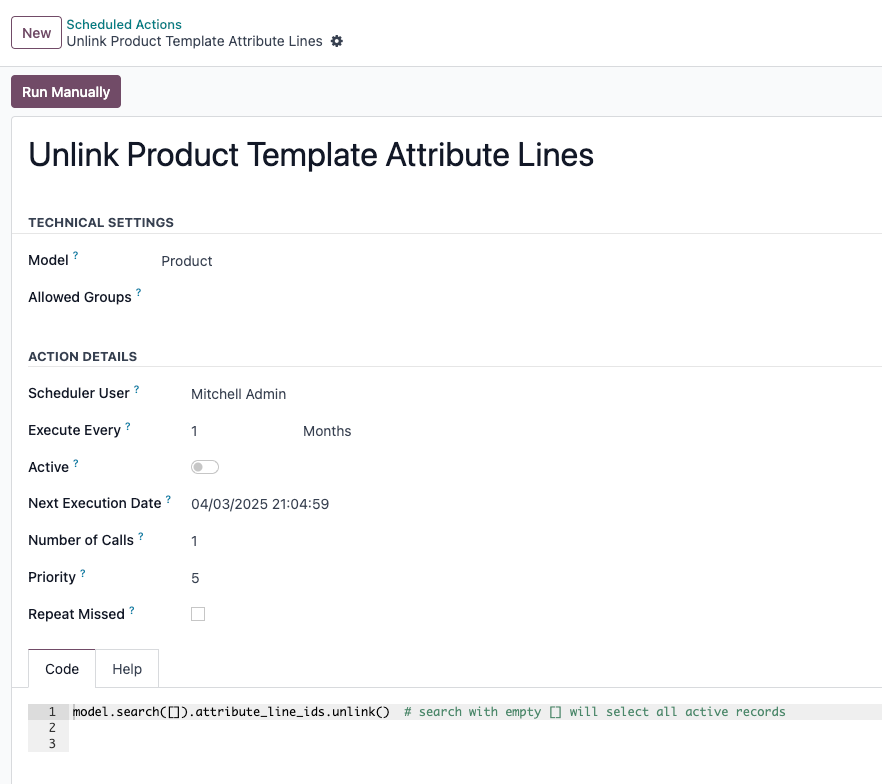
!!MAKE SURE YOU DON'T ACTIVE THIS SCHEDULED ACTION, RUN IT MANUALLY ONLY!!
model.search([]).attribute_line_ids.unlink() # search with empty [] will select all active records