


There is no server-side validation on the phone field. The only reason it is required is due to the fact the input field has the required-attribute set to 'true' in the template.
It can be changed by extending the template; This requires a custom module.
Something like this should work:
<template id="appointment_form_inherit" inherit_id="appointment.appointment_form">
    <xpath expr="//label[@for='phone']" position="replace">
        <label class="col-sm-3 col-form-label fw-normal" for="phone">Phone number</label> <!-- replace label to get rid of required-indicator '*' -->
    </xpath>
    <xpath expr="//input[@name='phone']" position="attributes">
        <attribute name="required"/> <!-- to unset the required attribute -->
        <attribute name="placeholder">z.B. +43 1 234567</attribute> <!-- to replace the default placeholder -->
    </xpath>
</template>
If you haven't written any modules yet, you may refer to https://www.odoo.com/documentation/18.0/developer/tutorials/server_framework_101/01_architecture.html
Alternatively, placeholder and phone label could be changed by the means of translations as well. See also https://www.odoo.com/documentation/18.0/de/developer/howtos/translations.html
Also also, for Odoo Online for example this will not work because you can't just install your own modules. Only way I see for that case is to perform a non update-safe by directly modifying the website template (also, when being completely unfamiliar with module creation in Odoo, this can be a way in any setup). To do this rather not-suggested-approach you can navigate to the appointment form in question, open the website editor via Site --> This page -> HTML / CSS Editor, accept the fact that 'Your changes might be lost during future Odoo upgrade' and hit Edit HTML anyway:
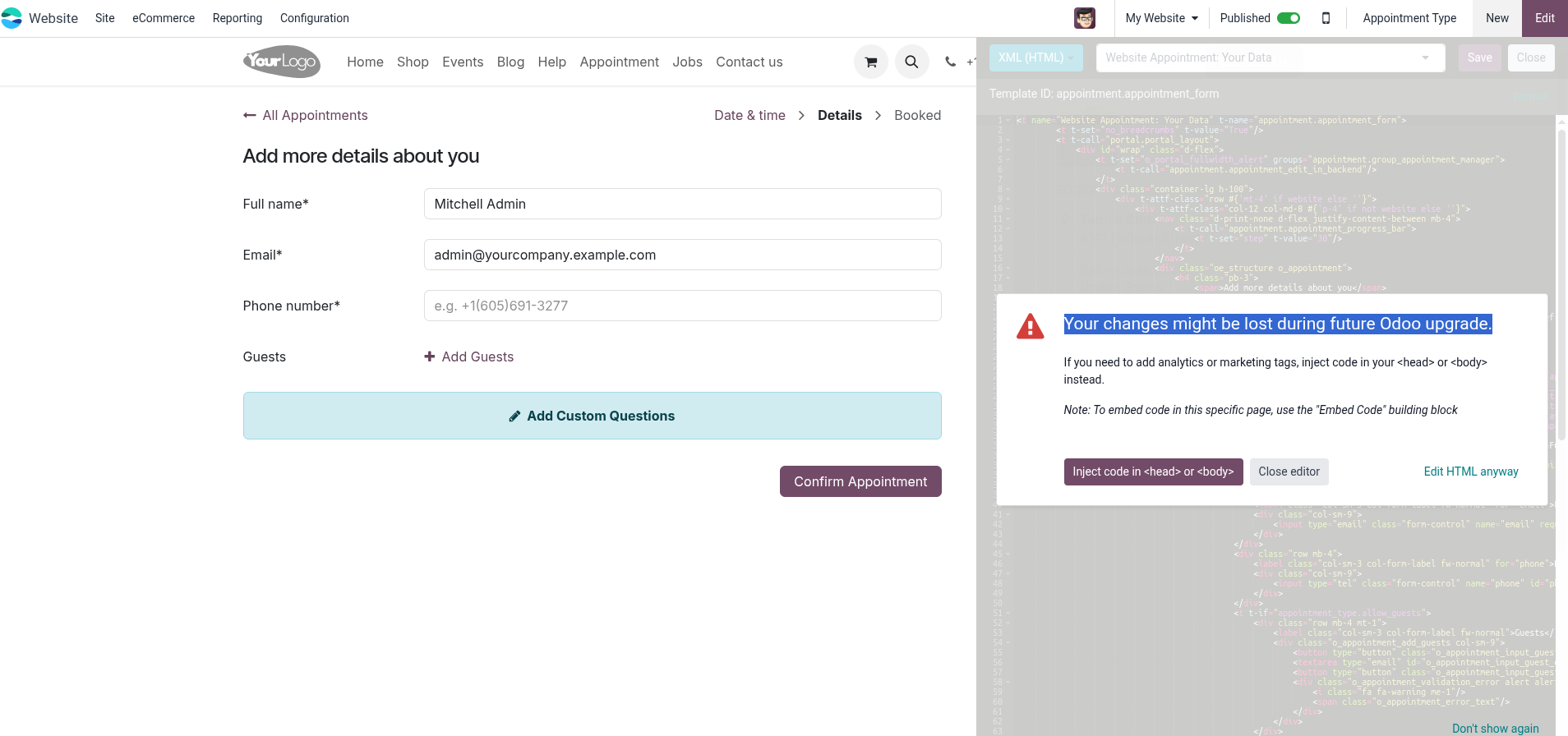
In there find the input field for phone and perform the changes needed (remove the required="1", change the placeholder text and change to label for="phone" text).
Note that tempering with core views is almost never a good idea as it can have unexpected side-effects and increase difficulty in upgrade massively (i.e. changes may need to be done on every upgrade).